Welcome - Home Business For Computer Repair and Internet Marketing!
This site is dedicated to providing computer services, information about solving common computer problems (blog),
software sales, and internet marketing. Check out our season promotions!
Setting Network IP addresses (Potential Conflicts)
Alot of times there may be an IP address conflict with other systems on your network.
This may be a difficult task for some who is not familiar with correcting this problem. Home network IP addresses are
as follows : 192.168.1.xxx. With this format in mind you will need to find your network adapter, which is located in
the "Network and Sharing Center" (Windows 7). Once you have done that you would click on the "Change adapter settings" located
on the left side of the window. You will then see an icon that is your "network adapter"; Right click on the icon and
select "properties" from the menu. A small window will come up showing the configuration of your network adapter.
Scroll down and the click on the "Internet Protocol Version 4 (TCP/IPv4)".
Next you will click on the "Properties" Button; a new window will come up showing you
the settings for your IP address. There are two radio buttons to choose from; "Obtain an IP address automatically"
and "Use the following IP address". You would select the second choice and enter a fixed IP address for your system
(example: 192.168.1.133). It might be a challenge to pick an address that would be suitable for your system.
So, if you want to see the current IP address that your system is using, you will
need to go back to the window that shows your network adapter. Left click on the adapter icon. You will notice some
tabs above the icon; select or click on the tab that says "View status of this connection". A window will come up showing
the "Network Status". Then click on the button that says "Details"; there will be another window labeled "Network Connection
Details". You will notice that the address for your system will be indicated on the line labeled "IPv4 Address".
Now, back to the configuration. Select/Click on the "Use the following IP
address" radio button. In the space provided enter the IP address that you saw in the "Network Connection Detail" window (example:
192.168.1.145). Next is the "Subnet Mask" and the "Default Gateway". The "Subnet Mask" should display automatically without
you having to enter it; it should be : 255.255.255.0. The "Default Gateway" will be the address of your router as follows:
192.168.1.1. The last thing you will need to do is set the address for "Preferred DNS Server" which will be the same
as your "Default Gateway" address. It's done; click "OK" and "Close" and the settings are complete.
Welcome to my web page. I am now an Amazon Associate and have add alot of interesting links for you to browse through.
Amazon has many produsts to choose from. Please check out my "Products Page" in the navagation area near
the top of this page. I will be posting some interesting research items for those computer geeks who want to learn about
computers and computer maintenance.
You've no doubt heard of Adrian Ling and Harvey Segal the ClickBank gurus at the ClickBank Success Forum. With over 14,000
members they certainly know what the typical struggling ClickBank affiliate needs. And they've produced a membership site
to cater exactly for their needs.
How would you like to earn recurring monthly commission with ClickBank ?
There's a system developed by two ClickBank experts who are looking for your help in promoting it to the 100,000+ ClickBank
vendors and affiliates.
Yes - you read that right. Unlike ClickBank's own system you can get rewarded by telling other affiliates about it.
They have produced a great guide with an amazing variety of ways to promote it, including several free viral ebooks specially
written to drive recurring commissions to your door.
We are offering many products on our site. Hope you will visit our Products page to see our featured items that may be
useful. As time goes on we will be adding many other produsts as well. Please feel free to contact us if there is a
product you would like to see posted.
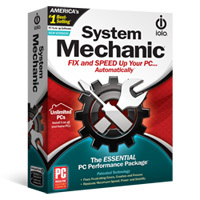
Keep your PC running fast, clean and error-free with System Mechanic’s award-winning arsenal of tools that
prevent problems before they arise. Repair stubborn errors, improve startup and program speed, tune system settings, eliminate
performance bottlenecks, clean up clutter, and prolong your PC’s life






 You've no doubt heard of Adrian Ling and Harvey Segal the ClickBank gurus at the ClickBank Success Forum. With over 14,000
members they certainly know what the typical struggling ClickBank affiliate needs. And they've produced a membership site
to cater exactly for their needs.
You've no doubt heard of Adrian Ling and Harvey Segal the ClickBank gurus at the ClickBank Success Forum. With over 14,000
members they certainly know what the typical struggling ClickBank affiliate needs. And they've produced a membership site
to cater exactly for their needs.